








Open source · MIT · macOS, Windows, Linux
A pixel art editor where AI draws live
Ladrilho is a desktop pixel art editor with an MCP server built in. Claude draws in the same document you have open: you watch every step, undo it with Ctrl/Cmd+Z and pause the AI whenever you want. No account, no telemetry.
macOS build available now; Windows and Linux builds come from CI.
// 01 — Gallery
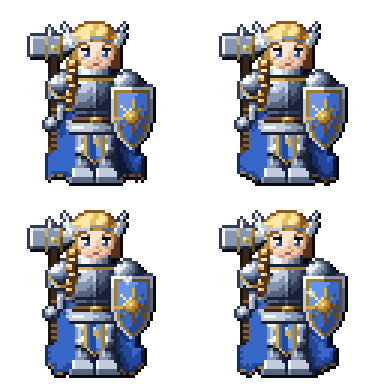
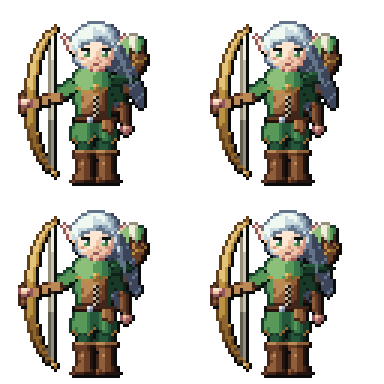
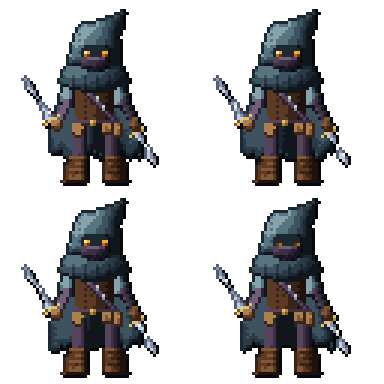
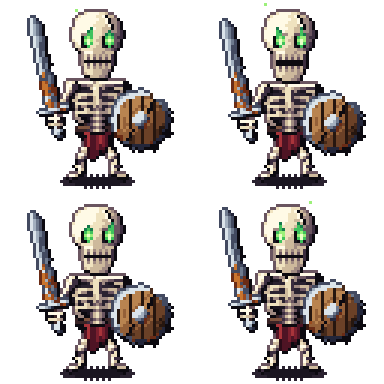
Made in Ladrilho
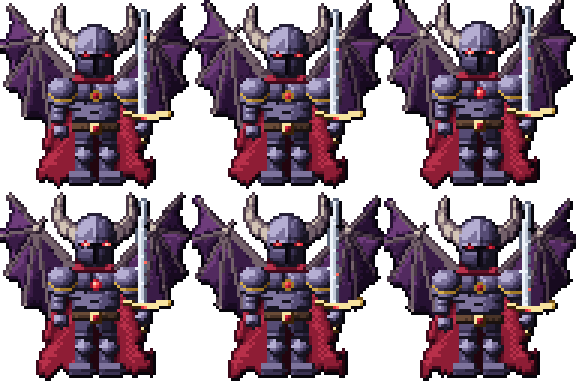
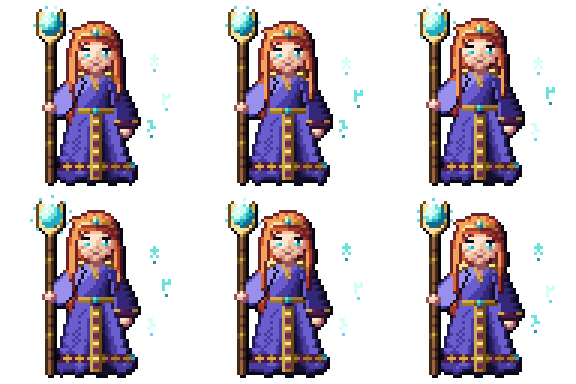
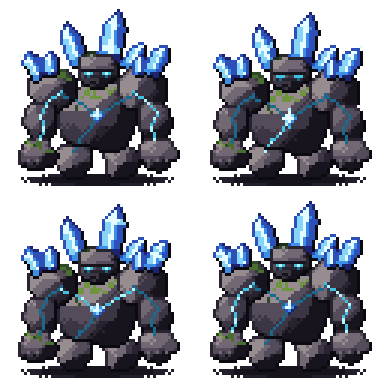
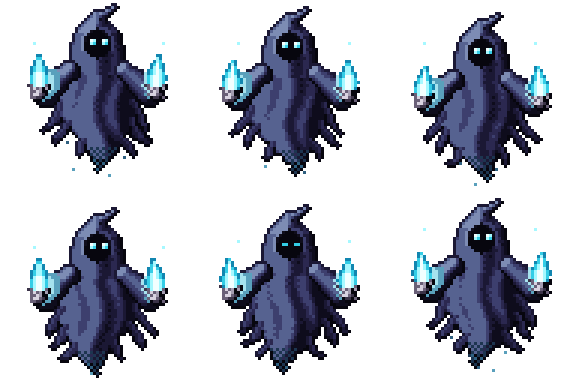
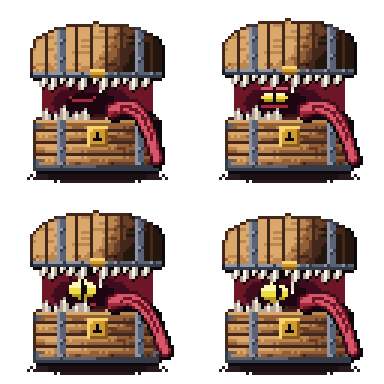
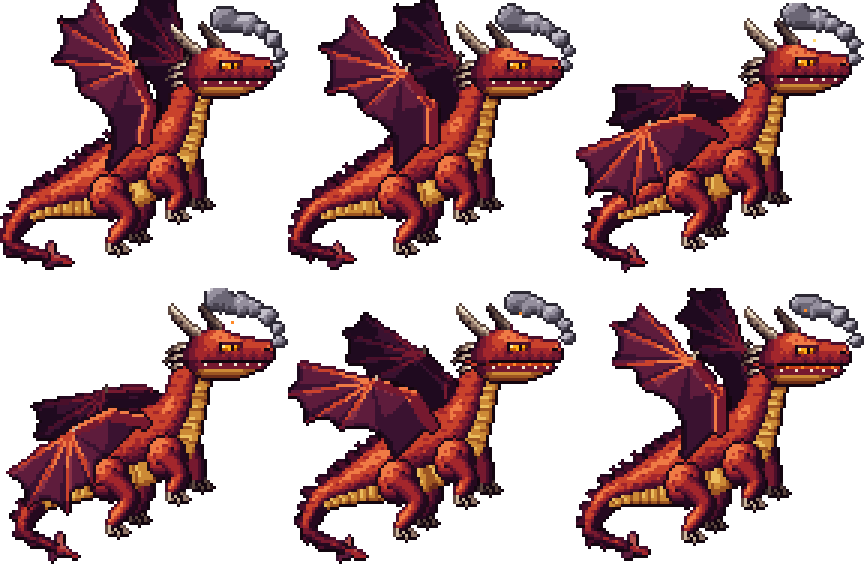
Characters, creatures, items and tiles drawn in the app through MCP: layers, frames and palettes, exported by Ladrilho itself. Download the .ladrilho file and open it to see how each piece is built.
Heroes



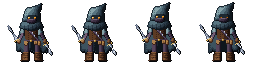
Made in Ladrilho
Every piece was drawn by Claude in Ladrilho, through MCP. Download the .ladrilho and open it in the app.
Creatures


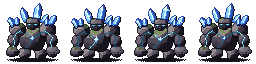



The dragon

Items



Tiles

// 02 — Live AI
Watch the AI draw, step by step
Ladrilho ships with ladrilho-mcp, an MCP server with 31 tools. Claude creates sprites, sets palettes, draws, adds layers and frames, and looks at the canvas — live, in the app you have open.
A real session
An arcane owl drawn by Claude in Ladrilho, recorded call by call.

Step 12 of 12 — AI: review: right-eye highlight and outline AA
MCP calls
- status({})
- criar_sprite({nome:coruja arcana,largura:48,altura:48})
- definir_paleta({cores:[#1a1430,#2b2150,#40337a,#5a4ba0,#7a6cc0,#a294dc,#4a3c5e,#6f5f86],nome:coruja arcana,rotulo:paleta da coruja arcana})
- alterar_camada({camada:c1,nome:coruja})
- alterar_frame({frame:0,duracao_ms:500})
- executar_lote({operacoes:6,rotulo:esboço: cabeça, corpo, asas e penachos})AI: sketch: head, body, wings and ear tufts
- ler_pixels({frame:0,formato:hex,regiao:{4}})
- ver_canvas({frame:0,escala:6,grade:true})
- criar_frame({duplicar_de:0,posicao:1,duracao_ms:500})
- executar_lote({operacoes:13,rotulo:blocos de cor})AI: color blocking
- ler_pixels({frame:1,formato:hex,regiao:{4}})
- ver_canvas({frame:1,escala:6,grade:true})
- criar_frame({duplicar_de:1,posicao:2,duracao_ms:500})
- criar_camada({nome:galho,posicao:0,rotulo:camada galho})
- executar_lote({operacoes:6,rotulo:galho e folhas})AI: branch and leaves
- ler_pixels({frame:2,formato:hex,regiao:{4}})
- ver_canvas({frame:2,escala:6,grade:true})
- criar_frame({duplicar_de:2,posicao:3,duracao_ms:500})
- executar_lote({operacoes:1,rotulo:sombras da plumagem})AI: feather shadows
- ler_pixels({frame:3,formato:hex,regiao:{4}})
- ver_canvas({frame:3,escala:6,grade:true})
- criar_frame({duplicar_de:3,posicao:4,duracao_ms:500})
- executar_lote({operacoes:1,rotulo:luz do alto à esquerda})AI: light from the top left
- ler_pixels({frame:4,formato:hex,regiao:{4}})
- ver_canvas({frame:4,escala:6,grade:true})
- criar_frame({duplicar_de:4,posicao:5,duracao_ms:500})
- executar_lote({operacoes:1,rotulo:textura das penas})AI: feather texture
- ler_pixels({frame:5,formato:hex,regiao:{4}})
- ver_canvas({frame:5,escala:6,grade:true})
- criar_frame({duplicar_de:5,posicao:6,duracao_ms:500})
- executar_lote({operacoes:2,rotulo:casca do galho e garras})AI: bark and talons
- ler_pixels({frame:6,formato:hex,regiao:{4}})
- ver_canvas({frame:6,escala:6,grade:true})
- criar_frame({duplicar_de:6,posicao:7,duracao_ms:500})
- executar_lote({operacoes:2,rotulo:contorno seletivo})AI: selective outline
- ler_pixels({frame:7,formato:hex,regiao:{4}})
- ver_canvas({frame:7,escala:6,grade:true})
- criar_frame({duplicar_de:7,posicao:8,duracao_ms:500})
- executar_lote({operacoes:1,rotulo:olhos âmbar e bico})AI: amber eyes and beak
- ler_pixels({frame:8,formato:hex,regiao:{4}})
- ver_canvas({frame:8,escala:6,grade:true})
- criar_frame({duplicar_de:8,posicao:9,duracao_ms:500})
- definir_pixels({camada:coruja,pixels:24,frame:9,rotulo:runas no peito})AI: runes on the chest
- ler_pixels({frame:9,formato:hex,regiao:{4}})
- ver_canvas({frame:9,escala:6,grade:true})
- criar_frame({duplicar_de:9,posicao:10,duracao_ms:500})
- criar_camada({nome:magia,posicao:2,rotulo:camada magia})
- executar_lote({operacoes:1,rotulo:brilho mágico})AI: magic glow
- ler_pixels({frame:10,formato:hex,regiao:{4}})
- ver_canvas({frame:10,escala:6,grade:true})
- criar_frame({duplicar_de:10,posicao:11,duracao_ms:2000})
- ver_canvas({frame:11,regiao:{4},escala:12,grade:true})
- executar_lote({operacoes:2,rotulo:revisão: reflexo do olho direito e AA do contorno})AI: review: right-eye highlight and outline AA
- ler_pixels({frame:11,formato:hex,regiao:{4}})
- ver_canvas({frame:11,escala:6,grade:true})
- ver_canvas({frame:0})
- ver_canvas({frame:11,onion:true})
- exportar({escala:1,sobrescrever:true,formato:folha,disposicao:horizontal,caminho:/Users/gabrielalmeidasantosmelo/projetos/ladrilho-site/public/arte/ia/ia-sessao.png})
- exportar({escala:3,sobrescrever:true,formato:gif,caminho:/Users/gabrielalmeidasantosmelo/projetos/ladrilho-site/public/arte/ia/ia-sessao.gif})
- salvar({caminho:/Users/gabrielalmeidasantosmelo/projetos/ladrilho-site/public/arte/fontes/ia-sessao.ladrilho,sobrescrever:true})
- listar_historico({limite:100})
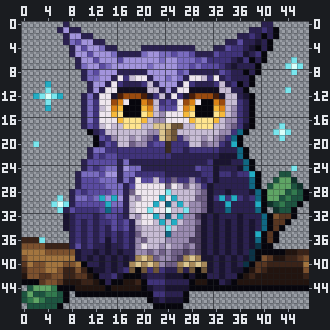
ver_canvas) — Step 12 of 12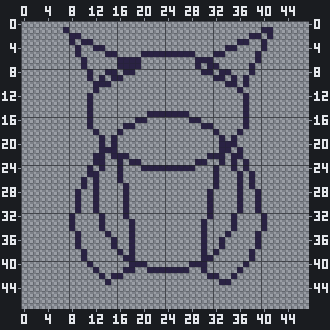
Step 1 of 12executar_lote({ operacoes: 6 (desenhar_forma ×6), rotulo: "esboço: cabeça, corpo, asas e penachos" })AI: sketch: head, body, wings and ear tufts 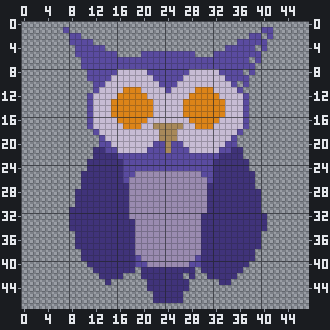
Step 2 of 12executar_lote({ operacoes: 13 (desenhar_forma ×13), rotulo: "blocos de cor" })AI: color blocking 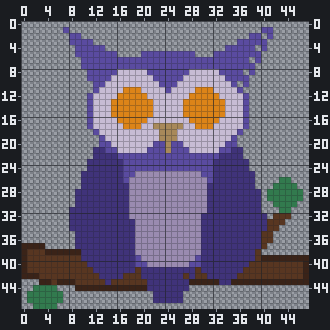
Step 3 of 12executar_lote({ operacoes: 6 (desenhar_forma ×5, preencher ×1), rotulo: "galho e folhas" })AI: branch and leaves 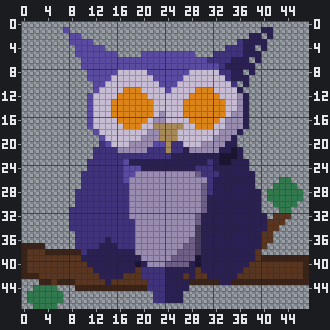
Step 4 of 12executar_lote({ operacoes: 1 (desenhar_mapa ×1), rotulo: "sombras da plumagem" })AI: feather shadows 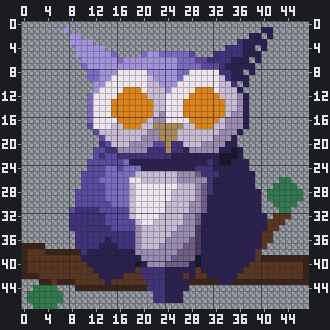
Step 5 of 12executar_lote({ operacoes: 1 (desenhar_mapa ×1), rotulo: "luz do alto à esquerda" })AI: light from the top left 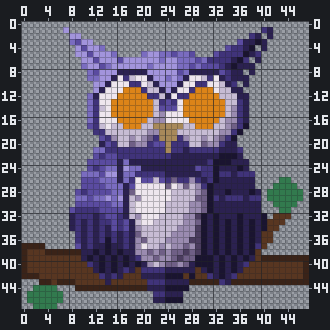
Step 6 of 12executar_lote({ operacoes: 1 (desenhar_mapa ×1), rotulo: "textura das penas" })AI: feather texture 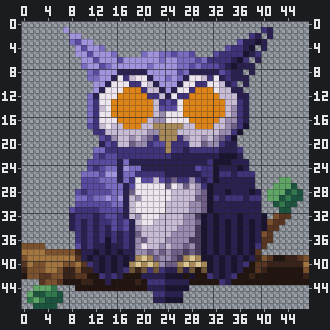
Step 7 of 12executar_lote({ operacoes: 2 (desenhar_mapa ×2), rotulo: "casca do galho e garras" })AI: bark and talons 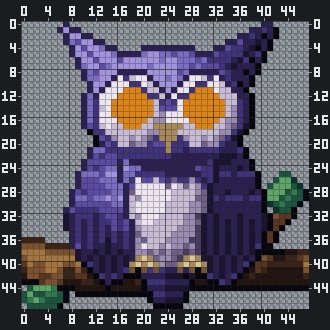
Step 8 of 12executar_lote({ operacoes: 2 (desenhar_mapa ×2), rotulo: "contorno seletivo" })AI: selective outline 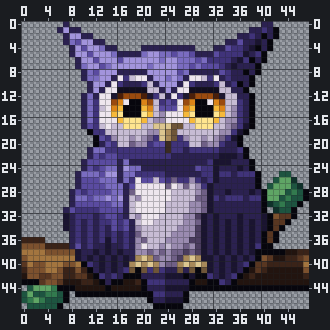
Step 9 of 12executar_lote({ operacoes: 1 (desenhar_mapa ×1), rotulo: "olhos âmbar e bico" })AI: amber eyes and beak 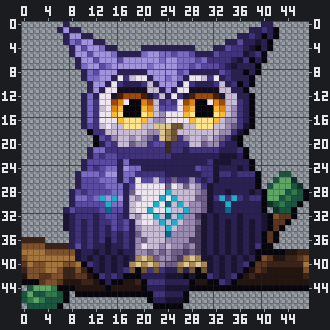
Step 10 of 12definir_pixels({ camada: "coruja", pixels: 24, rotulo: "runas no peito" })AI: runes on the chest 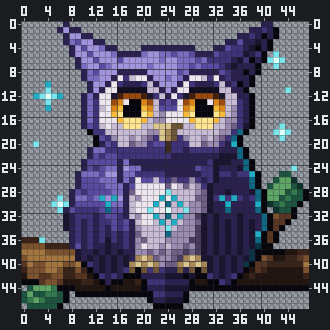
Step 11 of 12executar_lote({ operacoes: 1 (desenhar_mapa ×1), rotulo: "brilho mágico" })AI: magic glow Step 12 of 12executar_lote({ operacoes: 2 (definir_pixels ×2), rotulo: "revisão: reflexo do olho direito e AA do contorno" })AI: review: right-eye highlight and outline AA
One undo step per call
Each AI call becomes a single undo step labeled "AI: …". Ctrl/Cmd+Z takes it back.
It waits for your stroke
AI writes queue up and wait until the stroke you are drawing is finished.
Pause AI, always visible
The Pause AI button lives in the status bar. While paused, every write is refused.
Opens the app for you
If Ladrilho is closed, the MCP server launches it and waits until it is ready (up to 30 s).
Local only
The app server listens only on 127.0.0.1, on a random port, with a new Bearer token each run.
No arbitrary scripts
There is no tool to run scripts. The AI can only use the 31 drawing and file tools.
All the tools the AI can use
31 tools
State1
statusReadApp version, AI pause state and open documents
Document5
criar_spriteWriteCreate a new sprite (up to 1024×1024) in a new tab
abrir_arquivoWriteOpen a .ladrilho, PNG or GIF file
salvarWriteSave the document as .ladrilho
listar_documentosReadList the open documents
ativar_documentoWriteSwitch to another open document
Palette2
definir_paletaWriteSet the palette from colors or a Lospec slug
ler_paletaReadRead the current palette
Drawing8
definir_pixelsWriteSet individual pixels or horizontal runs
desenhar_mapaWriteDraw a character map: one letter per color
desenhar_formaWriteDraw a line, rectangle, ellipse or polygon
preencherWritePaint bucket fill, contiguous or global, with tolerance
substituir_corWriteReplace one color with another in a layer, frame or sprite
limparDestructiveClear a region or the whole cel
transformarWriteFlip, rotate or shift pixels
colar_imagemWritePaste a PNG at a position, optionally on a new layer
Batch1
executar_loteWriteRun up to 500 operations as one labeled undo step
Layers4
criar_camadaWriteAdd a layer
alterar_camadaWriteRename a layer or change visibility, opacity or lock
remover_camadaDestructiveDelete a layer
mover_camadaWriteReorder a layer
Frames3
criar_frameWriteAdd a frame, optionally duplicating another
alterar_frameWriteChange a frame’s duration
remover_frameDestructiveDelete a frame
Vision3
ver_canvasReadGet a PNG of the canvas with a ruler, grid and onion skin
ler_pixelsReadRead pixel colors from a region (up to 64×64)
ver_animacaoReadGet the frames side by side with their durations
History3
desfazerWriteUndo the AI’s own steps (never yours)
refazerWriteRedo the AI’s own undone steps
listar_historicoReadList the history with labels and authors
Export1
exportarWriteExport PNG, GIF or sprite sheet, at any integer scale
Connect Claude
Claude Code
bash
claude mcp add ladrilho -- "/Applications/Ladrilho.app/Contents/MacOS/ladrilho-mcp"Claude Desktop
~/Library/Application Support/Claude/claude_desktop_config.json
{
  "mcpServers": {
    "ladrilho": {
      "command": "/Applications/Ladrilho.app/Contents/MacOS/ladrilho-mcp"
    }
  }
}
The exact path is shown in Preferences › AI › Use with AI, with the commands ready to copy.
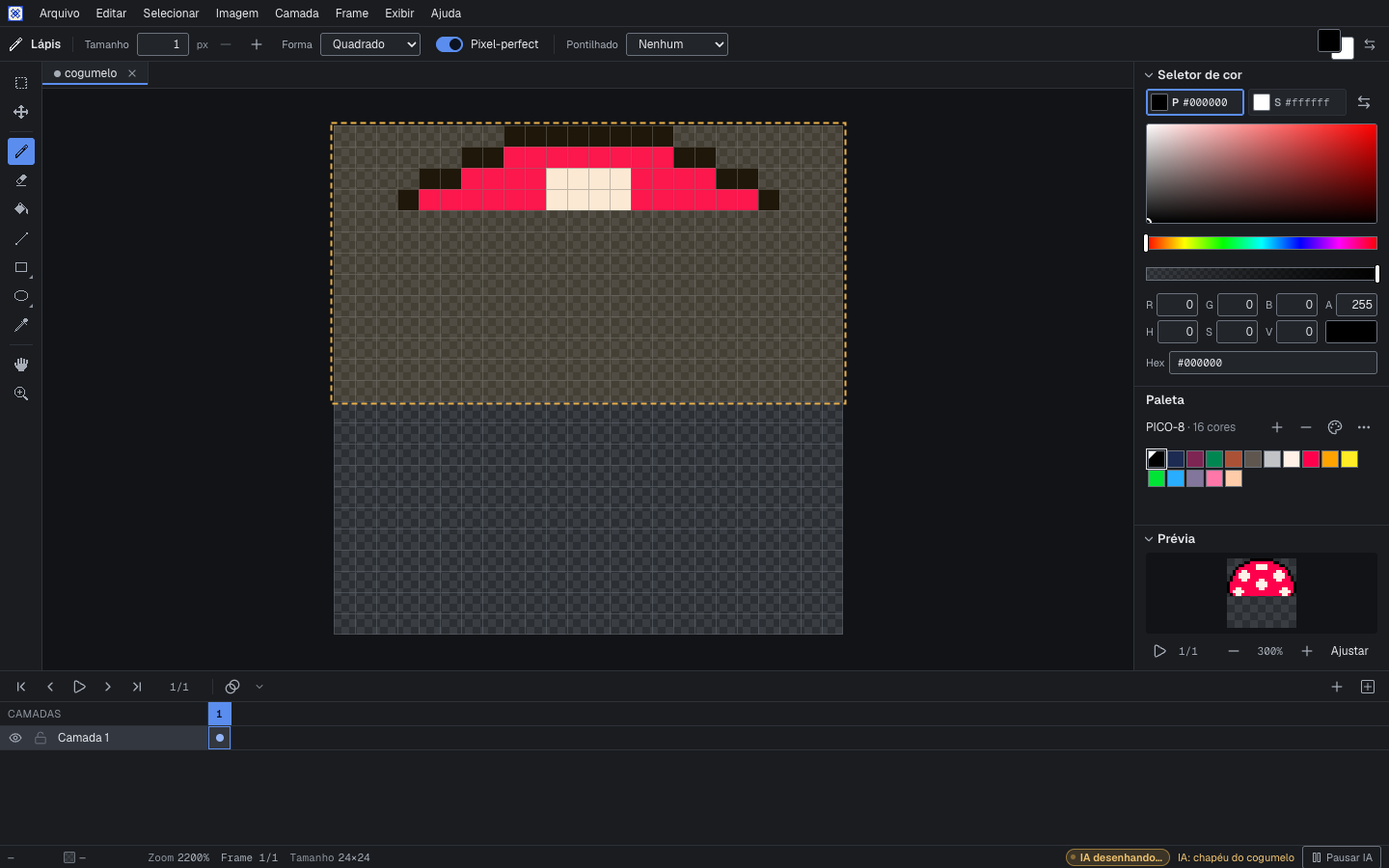
Then just ask, for example:
“draw a 16×16 mushroom with the PICO-8 palette in Ladrilho”
Local server security
- Listens only on 127.0.0.1, on a random port.
- Requires a Bearer token: 32 random bytes, new on every run, compared in constant time.
- Rejects any other Host and any Origin header; no CORS.
- The only network connection is downloading a Lospec palette when you (or the AI) ask for it by name.
// 03 — Tools
A complete editor, not just an AI trick
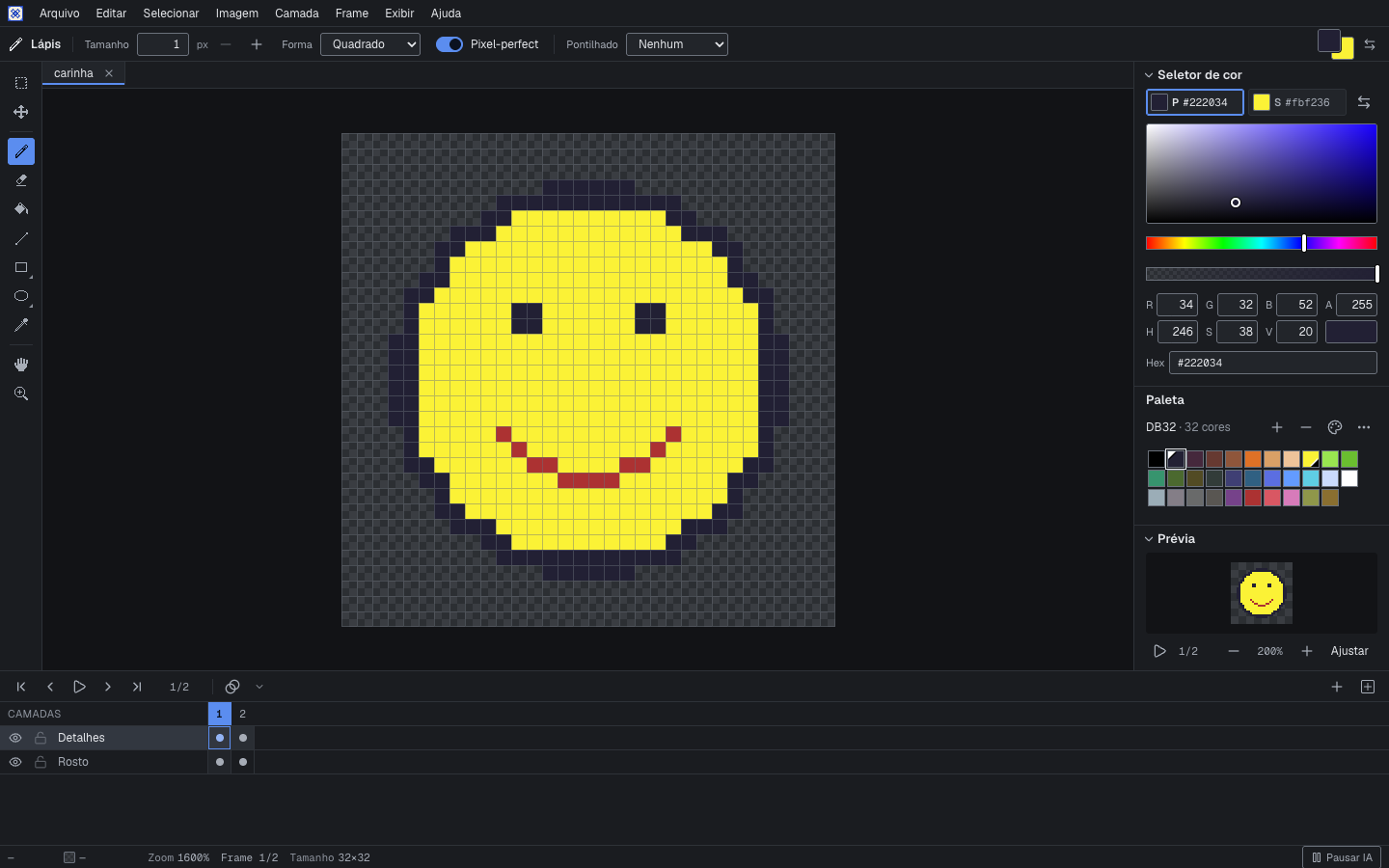
The tools you expect, with Aseprite shortcuts by key position — they work the same on any keyboard layout.

Pencil
Shortcut: B
Freehand with pixel-perfect: it removes the L-shaped corners from the stroke.

Eraser
Shortcut: E
Erases to transparency with the same brush sizes as the pencil.

Paint bucket
Shortcut: G
Contiguous or global fill, with tolerance.

Line
Shortcut: L
Clean pixel lines between two points.

Rectangle
Shortcut: U
Outline or filled.

Ellipse
Shortcut: ShiftU
Outline or filled, symmetric at any size.

Eyedropper
Shortcut: I
Picks a color from the canvas. Hold Alt for a quick pick.

Rectangular marquee
Shortcut: M
Select, move and paste as a floating selection.

Flip
Shortcut: ShiftH
Flip, rotate or shift the selection or the layer.
And more
- Square or round brush from 1 to 64 px
- Left button = primary color, right button = secondary
- Bucket tolerance and global mode
- Pixel-perfect strokes
- Floating paste you can move before applying
- Canvas size and sprite size
// 04 — Animation
Frames, timing and onion skin
Animate with a timeline where each frame has its own duration, check the motion with onion skin and preview it in a loop.

- Timeline with a duration per frame
- Onion skin (F3) with previous and next frames
- Looping preview
- Export animated GIF or a sprite sheet
- Layers with opacity, visibility and lock
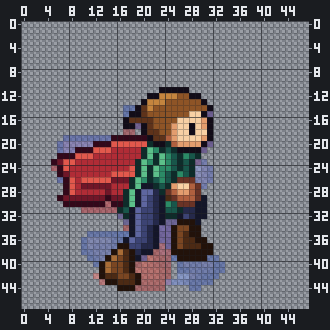
ver_canvas).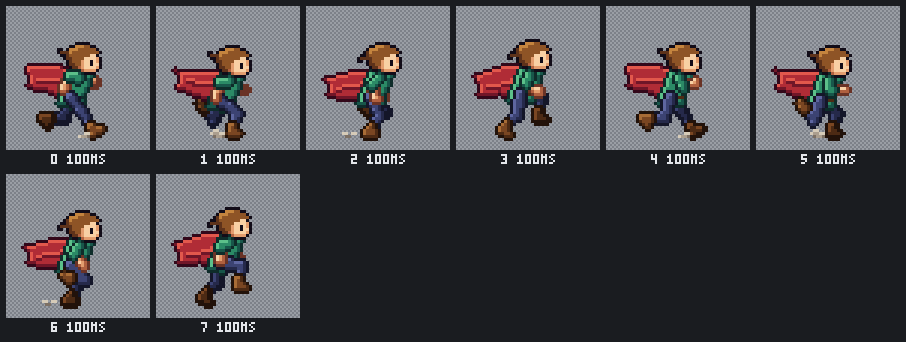
ver_animacao).// 05 — Color
Palettes and dithering
Built-in palettes, Lospec palettes by name, replace color, and ordered dithering aligned to the sprite grid.
The same scene, six palettes
One cottage in the woods, recolored with the built-in palettes using substituir_cor.
- Download any palette from Lospec by its slug.
- Import and export
.gpl,.paland.hexpalettes. - HSV, RGB and hex color picker with alpha.
A cottage in the woods shown in six palettes: original, PICO-8, DB32, Endesga 32, Sweetie 16 and Game Boy
Original PICO-8 DB32 Endesga 32 Sweetie 16 Game Boy

Flat or dithered
Ordered dithering between the primary and secondary colors: checker, Bayer 2×2, 4×4 or 8×8, level 0–100%.
The same sunset sky with a moon, shown flat and with checker, Bayer 4×4 and Bayer 8×8 dithering
Flat Checker Bayer 4×4 Bayer 8×8





// 06 — Formats
Open files, standard exports
Your work is saved in an open format and exported to what games and engines expect.

.ladrilho
A plain ZIP:
Read the format spec (opens in a new tab)documento.jsonplus one PNG per cel. Open it with any unzip tool.PNG
Current frame or a numbered sequence, at any integer scale up to 20×.
Animated GIF
Each frame keeps its own duration.
Sprite sheet
Horizontal or grid, with a JSON atlas in the Aseprite format.
Import PNG and GIF
Bring existing images in to keep working.
Autosave
Silent autosave with recovery after a crash, plus tabs and recent files.
| Pencil / eraser / paint bucket | B/E/G |
|---|---|
| Line / rectangle / ellipse | L/U/Shift+U |
| Eyedropper | I/Alt(hold) |
| Marquee / move | M/V |
| Hand | H/Space(hold) |
| Zoom 100–3200% / fit | 1–6/Mod+0 |
| New frame / new layer | Alt+N/Shift+N |
| Onion skin | F3 |
| Next region (keyboard) | F6 |
| Undo / redo | Mod+Z/Mod+Shift+Z |
| Save / save as | Mod+S/Mod+Shift+S |
| Export | Mod+Shift+Alt+S |
| Swap primary and secondary | X |
| Previous / next color | [/] |
| Play animation | Enter |
| Previous / next frame | ←/→ |
| Show/hide the timeline | Tab |
| Preferences | Mod+, |
| Full shortcut list | Mod+Shift+Alt+K |
Mod = Cmd on macOS, Ctrl elsewhere. Aseprite profile, by key position.
// 07 — Compare
How it compares, honestly
Ladrilho is new. Here is where it stands next to the editors people already use.
| Feature | Ladrilho | Aseprite | Pixelorama | LibreSprite | Piskel |
|---|---|---|---|---|---|
| Open source and free | Yes | NoSource available under a proprietary EULA; paid | Yes | Yes | Yes |
| macOS, Windows and Linux | YesmacOS build now; Windows and Linux from CI | Yes | Yes | Yes | YesWeb, plus a desktop build (NW.js) |
| Live MCP built in | Yes | PartialWith a third-party extension connected by hand | No | No | No |
| MCP opens the app by itself | Yes | No | No | No | No |
| Labeled undo step per AI call | Yes | PartialWith a third-party extension connected by hand | No | No | No |
| Pause AI button | Yes | No | No | No | No |
| Pixel-perfect strokes | Yes | Yes | Yes | Yes | Not confirmed |
| Dithering | YesOrdered dithering (checker, Bayer) | Yes | Yes | Not confirmed | Yes |
| Onion skin | Yes | Yes | Yes | Yes | Yes |
| Sprite sheet export | Yes | Yes | Yes | Yes | Yes |
| Tilemaps | On the roadmap | Yes | Yes | No | No |
| Indexed color mode | On the roadmap | Yes | Yes | Yes | No |
| Scripting | On the roadmap | Yes | Yes | Yes | No |
| .aseprite files | On the roadmap | Yes | Yes | PartialPartial import; exports | No |
Need tilemaps, indexed color or scripting today? Aseprite or Pixelorama are the better choice right now.
Source: Ladrilho market research of , with links to every claim. (opens in a new tab)
// 08 — Open source
MIT, in the open
The code, the specs and the plan are public. Read them, open an issue, send a pull request.
- README (opens in a new tab)
- Specs (opens in a new tab)
- Issues (opens in a new tab)
- MIT license (opens in a new tab)
On the roadmap
- Elliptical, lasso and magic wand selection
- Symmetry
- Tile mode
- Indexed color mode
- Animation tags (forward, reverse, ping-pong)
- Import and export .aseprite
- Tilemaps
- Scripting
Credits
- Pixelify Sans — SIL Open Font License.
- Geist and Geist Mono — SIL Open Font License.
- Shortcuts and behavior inspired by Aseprite; no Aseprite code was used.
- All the pixel art on this page was drawn by Claude in Ladrilho, through MCP.
// 09 — Download
Get Ladrilho
Free and open source. Pick your platform, or build it from the source.
- Available
macOS (Apple Silicon)
Development .dmg with an ad-hoc signature. The first time, right-click the app › Open.
- Via CI
Windows
NSIS installer built by the
empacotarworkflow (debug, unsigned). - Via CI
Linux
.deb and AppImage built on Ubuntu 22.04 with WebKitGTK 4.1 (debug).
The macOS build is not notarized. If macOS blocks it, remove the quarantine flag:
bash
xattr -dr com.apple.quarantine /Applications/Ladrilho.appFrom the source
Requires Node 22, stable Rust and, on Linux, WebKitGTK 4.1.
bash
npm ci
npm run tauri dev